

Paid partnership with FaceApp.
Thinking about changing your hairstyle, coloring your hair, trying facial hair, or experimenting with a different makeup look can be exciting.
It can also feel like a gamble, especially when some changes take months to grow out or can be expensive to reverse.
That’s why so many people like to preview a new look before making it permanent.
Instead of relying on your imagination or comparing yourself to someone else’s photo, you can see different options on your own face and get a better sense of what feels right.
Of course, no photo can predict exactly how a haircut, hair color, or makeup look will turn out.
Your hair texture, styling, lighting, and the skill of your hairstylist or makeup artist will always influence the final result.
Still, seeing a possible change ahead of time can make those decisions feel much less intimidating.
In this article, I'll explain why previewing a new look can be so helpful, what I found after testing FaceApp Pro, how it can help you compare different options, and what to keep in mind before making a change in real life.
Why We Second-Guess Changes to Our Appearance
One of the hardest parts about changing your appearance is picturing what you’ll actually look like afterward.
You can look through charts showing blunt bangs, curtain bangs, side-swept bangs, and dozens of other styles, then immediately wonder which one would actually suit you.
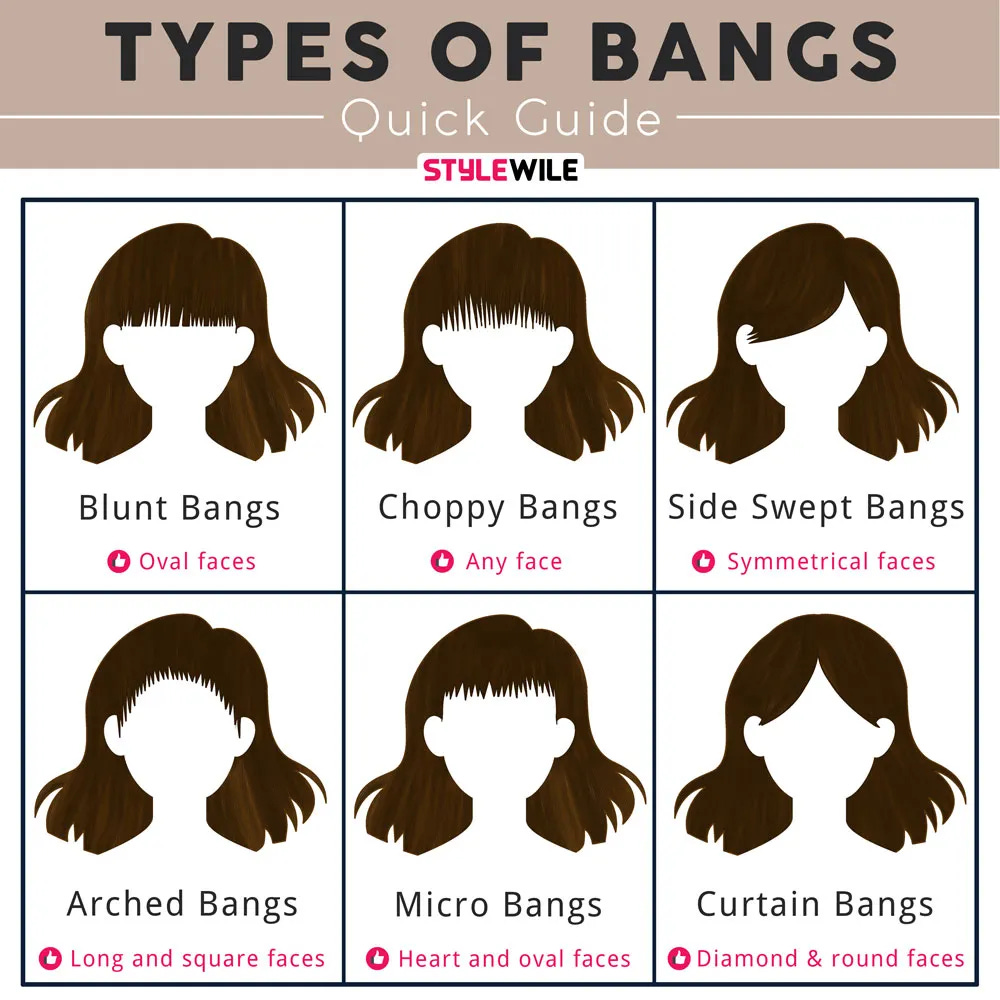
Your own face is so familiar that even a small change can feel much bigger in your mind than it probably will in real life.
I’ve worn my hair long for most of my life.
When I was little, though, my parents gave me a very short haircut, and people thought I was a boy.
I remember how embarrassed I felt, and I’ve probably overcorrected ever since.
Whether that’s rational or not, it’s proof that one experience can shape the way you think about your appearance for years.
Changing my hair color is another story.
I’ve never dyed mine because I like my natural color, and curly hair already takes enough maintenance.
If you’re starting with naturally dark hair and thinking about going blonde, the decision can feel even bigger.
Bleaching permanently changes your hair, so it’s understandable to want a better idea of how that color might look before making the commitment.
Makeup can be just as misleading.
Some makeup looks are created with studio lighting, camera angles, and photography in mind, but that doesn't always mean they'll have the same effect in everyday life.
Something that looks incredible in a still photo can feel much heavier once you’re standing in front of a mirror or talking to someone face to face.
That’s why appearance changes can feel so difficult.
It’s not just about deciding whether you like a hairstyle, hair color, or makeup look.
It’s about trying to imagine yourself looking different, and that’s often much harder than people expect.
Why Seeing a Change First Can Make Decisions Easier
Seeing a possible change on your own face can help you make a more informed decision before spending time and money on it.
It’s much easier to change your mind before booking a salon appointment than after paying to fix a haircut you don’t love, correcting a hair color that didn’t turn out the way you hoped, or waiting months for your hair to grow back.
It can also make conversations with your hairstylist, barber, or makeup artist much easier.
Instead of trying to describe what you’re picturing, you can show them an image that gives them a clearer idea of the look you’re hoping to achieve.
Whether you decide to make the change or stick with your current look, you’re making that decision based on something you can see instead of something you imagined.
Seeing Multiple Possibilities Side by Side
One of the biggest advantages of using a photo preview is being able to compare different ideas on the same photo.
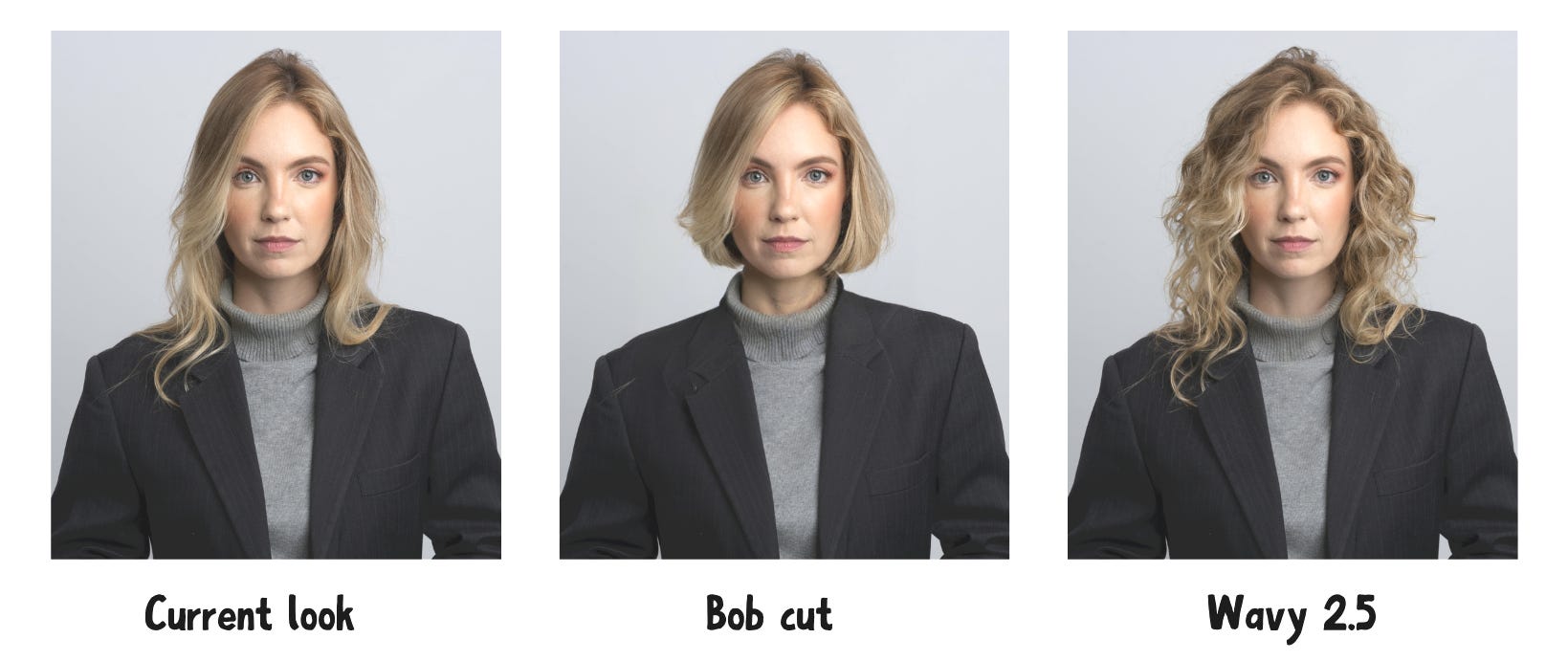
Instead of imagining how a bob might look compared with longer waves, or whether you’d prefer a darker hair color over your current shade, you can view the options side by side and decide which direction feels right for you.
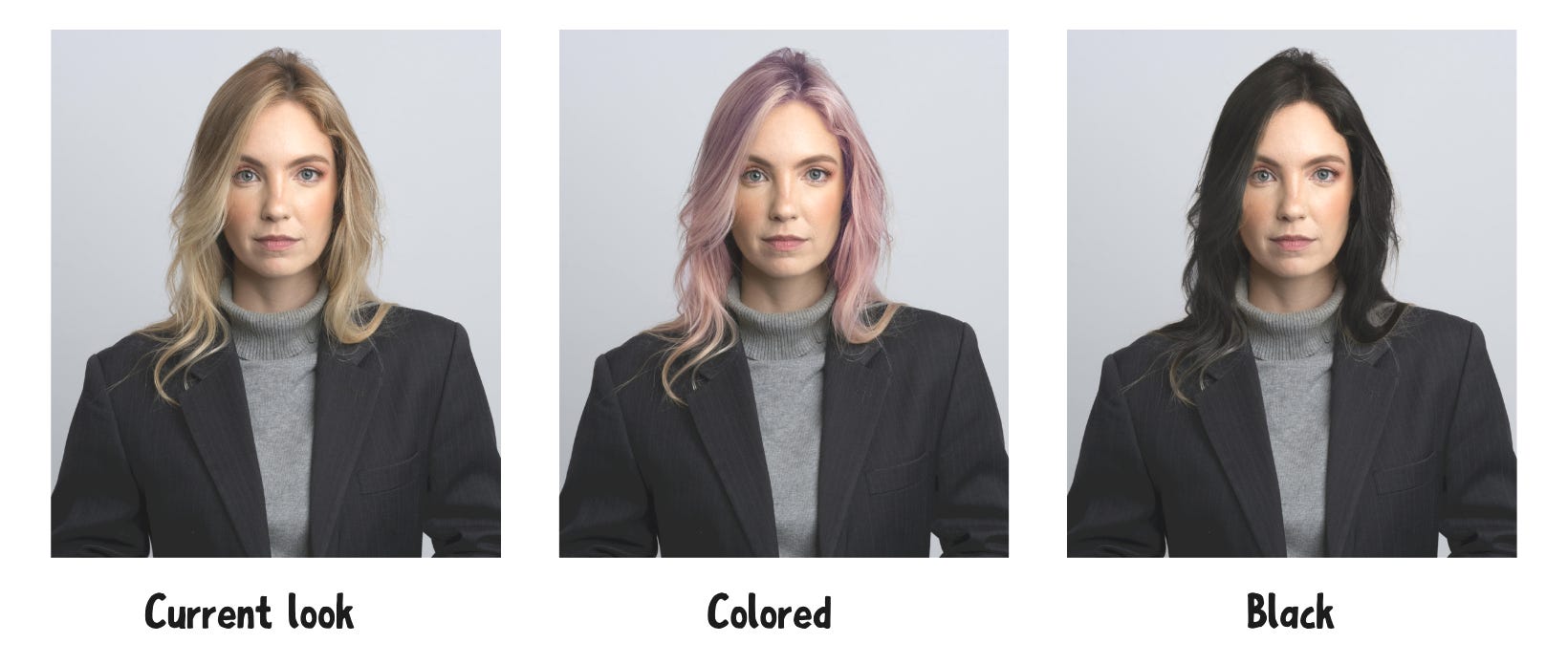
The same applies to makeup.
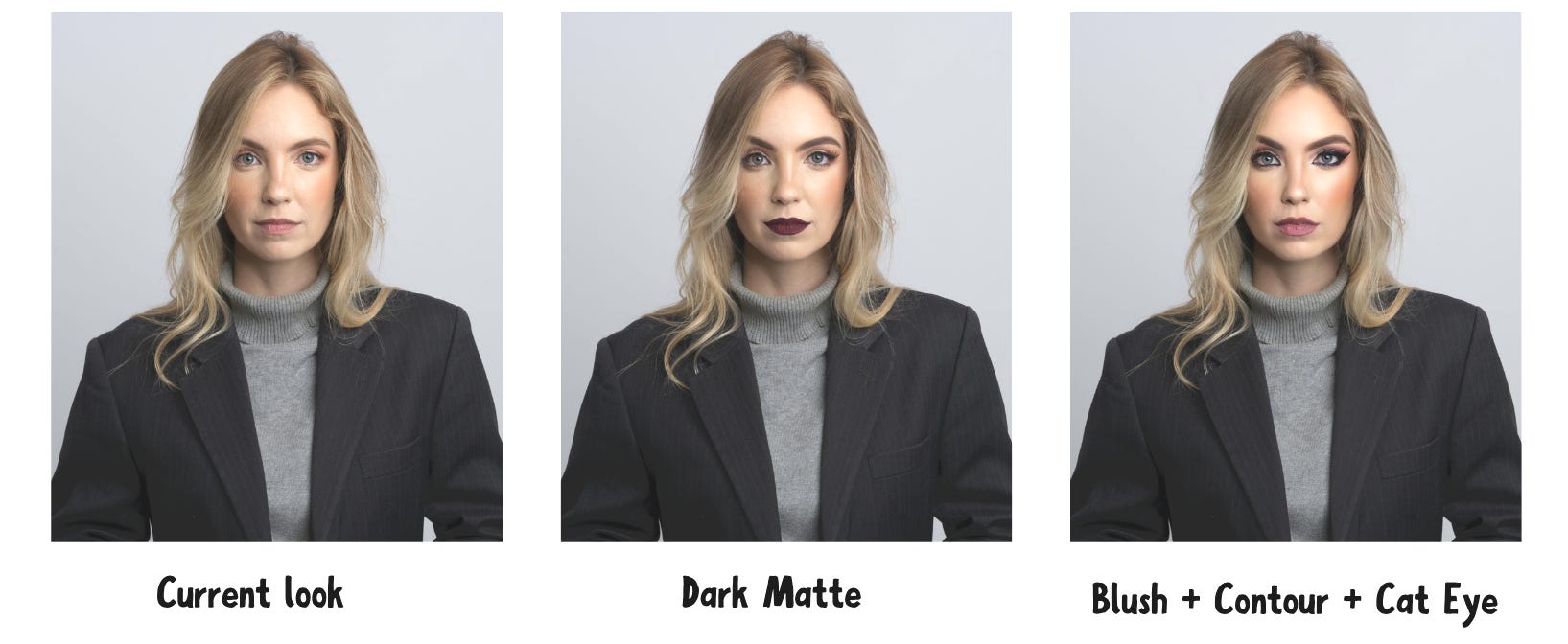
Comparing different looks on the same photo can make it easier to decide whether you want something subtle, bold, or somewhere in between before recreating it yourself or booking an appointment.
How FaceApp Can Help You Preview a New Look
If you’re curious how a different hairstyle, hair color, makeup look, or other appearance change might look on you, FaceApp lets you experiment using a photo of yourself.
I found the app easy to navigate.
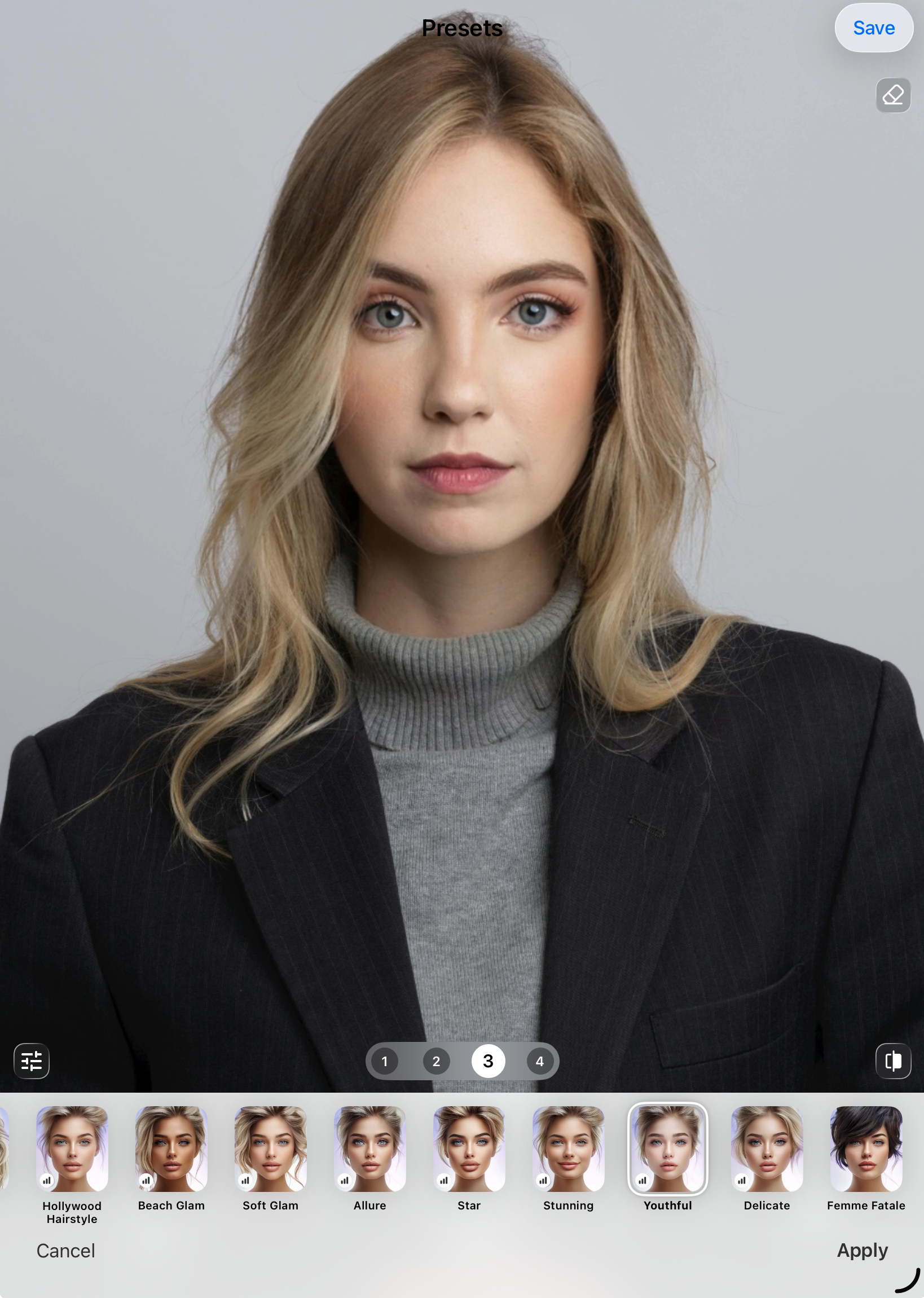
After selecting a photo, you’ll see a row of editing categories along the bottom of the screen, making it easy to switch between different types of edits without starting over.
If you’re looking for inspiration rather than one specific change, Presets offers complete looks, such as Natural, Cutesy, Beach Glam, Youthful, and Femme Fatale.
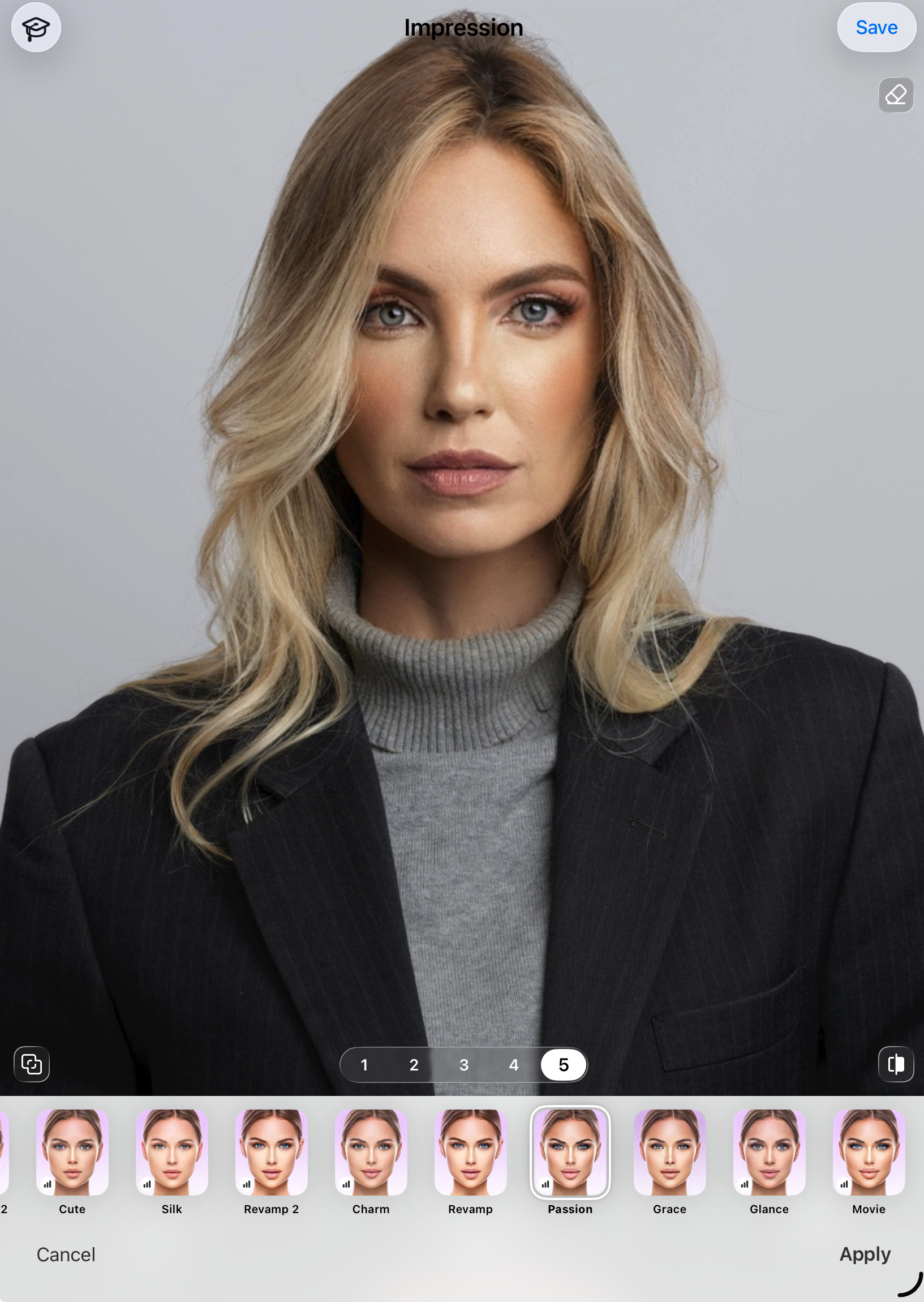
Impression takes a similar approach with styles like Hollywood, Charm, and Movie, combining multiple edits into a single transformation.
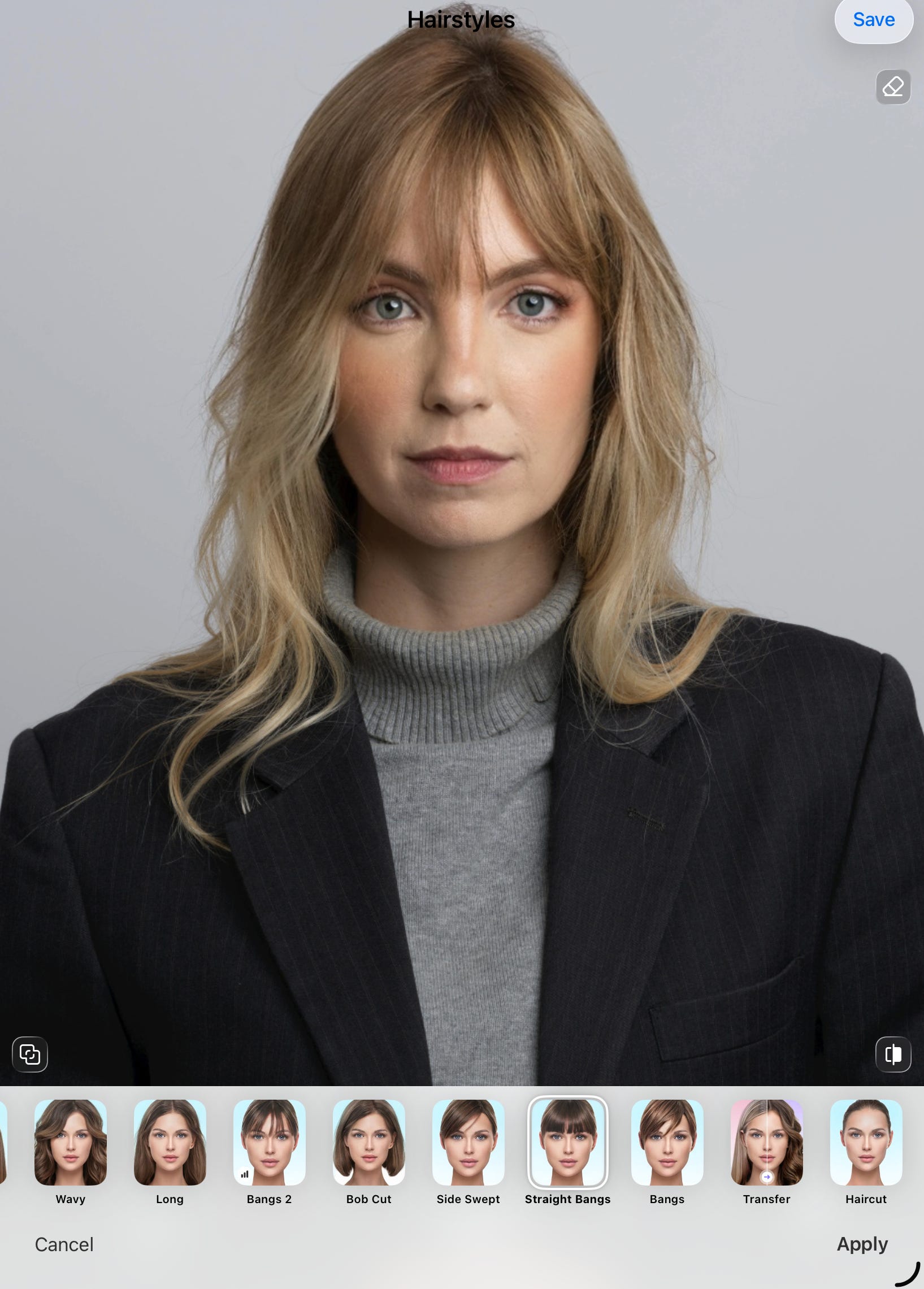
If you have a specific change in mind, you can jump directly to the category you want.
For hair, you can experiment with different hairstyles, including bangs, bobs, blowouts, straight styles, waves, and added volume.
You can also compare different hair colors, whether you’re considering blonde, darker shades, fantasy colors, or subtle texture and shine adjustments.
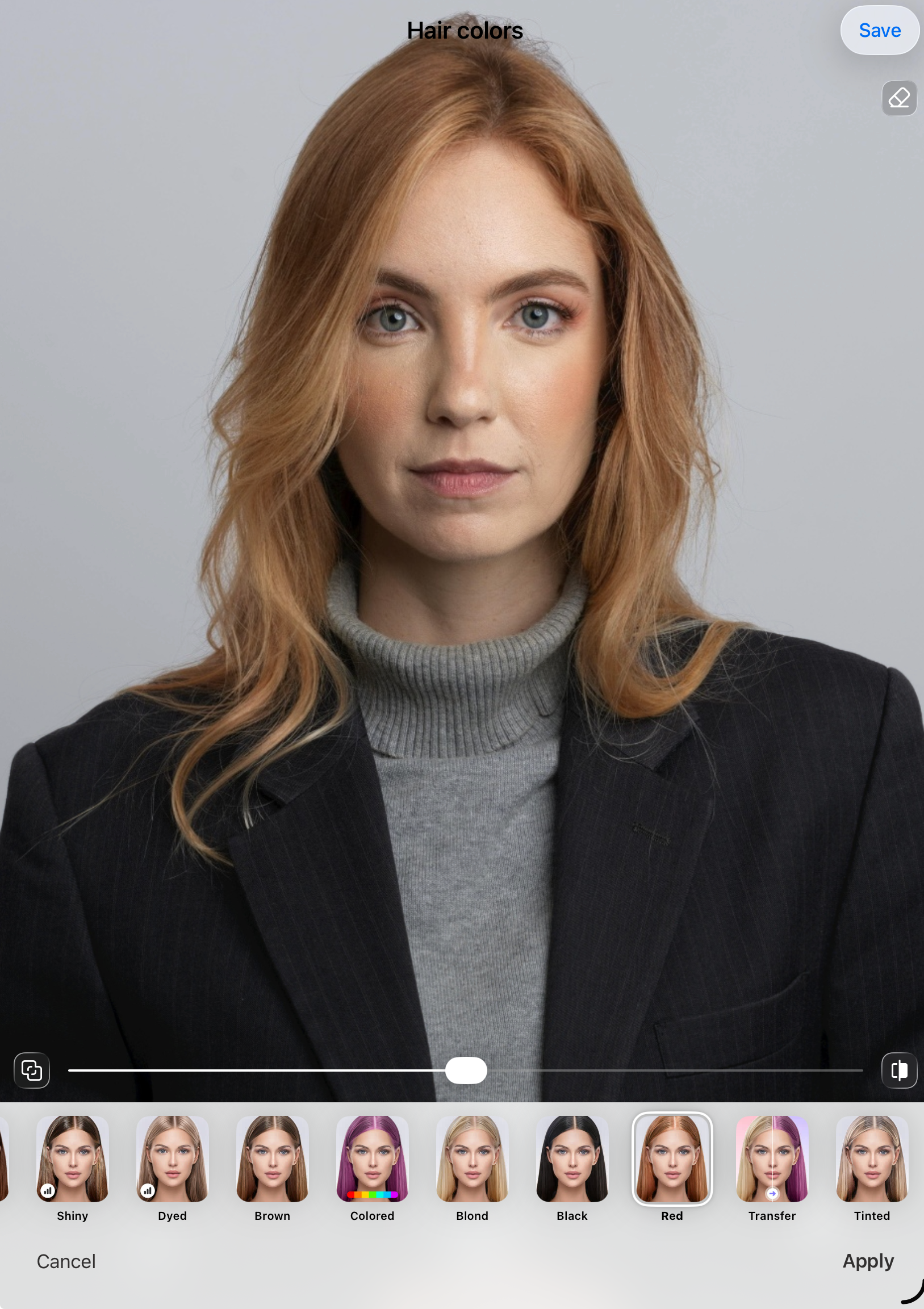
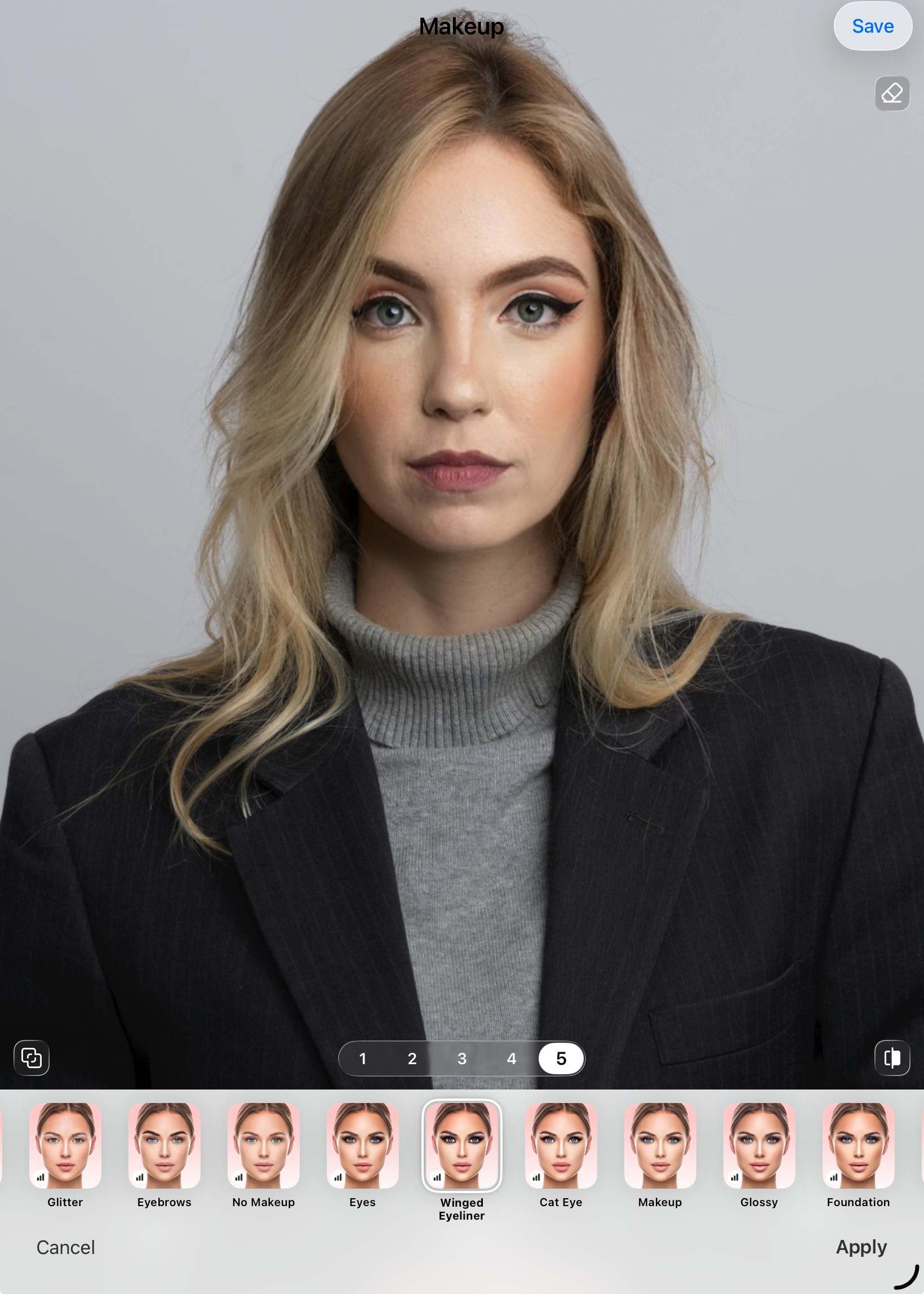
The Makeup section includes options like foundation, contour, eyeliner, eyelashes, glossy lips, and glitter-inspired looks.
One feature I thought was particularly useful is Transfer.
If you’ve saved a makeup inspiration photo from Pinterest, Instagram, or another source, you can upload it and preview a similar look on your own face.
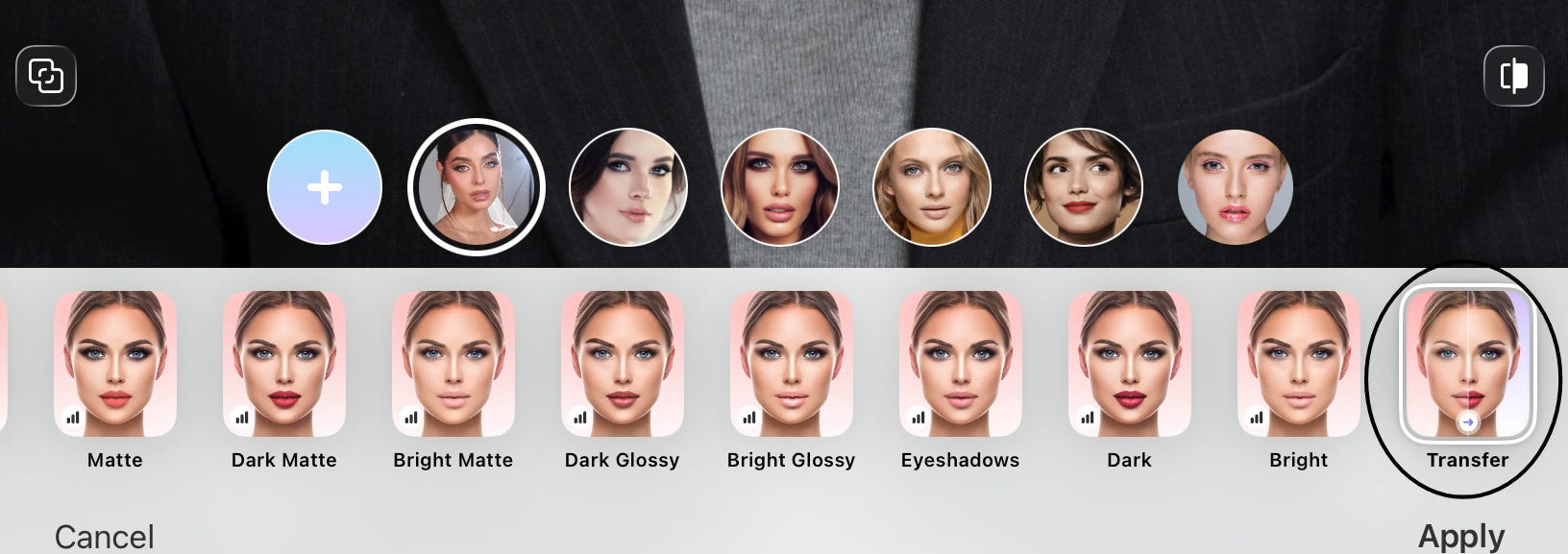
That gives you a more personalized reference before recreating the look yourself or showing it to a makeup artist.
Beyond hair and makeup, you can also experiment with facial features like thicker eyebrows, dimples, a sharper chin, longer eyelashes, and more defined cheekbones.
Other categories let you preview glasses, different smile expressions, skin effects, age filters, and other appearance changes.

If you want to fine-tune your photo even further, you’ll also find tools for reshaping, retouching, removing unwanted objects, applying filters, changing backgrounds, and making other general photo adjustments.
Many of the editing options also include multiple intensity levels, so you can compare subtle changes with more dramatic ones instead of applying just a single effect.
Like any photo editing app, the results should be viewed as a visualization rather than an exact prediction.
Factors like your hair texture, makeup application, lighting, and the techniques used by your hairstylist or makeup artist will still influence the final result.
What About Privacy?
If you’re anything like me, you probably like knowing how an app handles your photos.
According to FaceApp, it only processes the specific photos you choose to edit, and those images are temporarily stored during the editing process before being automatically deleted.
The company also states that it doesn’t use the photos you upload for purposes other than providing the app’s editing features.
If privacy is something you pay attention to, I'd recommend taking a few minutes to read FaceApp’s Privacy Policy and FAQ yourself so you can decide whether you're comfortable with how the app handles your photos and data.
Case Studies: How People Use Photo Previews Before Making a Change
FaceApp can be useful for more than just experimenting with different looks.
Here are two examples of how someone might use it before spending money on a beauty or style change.
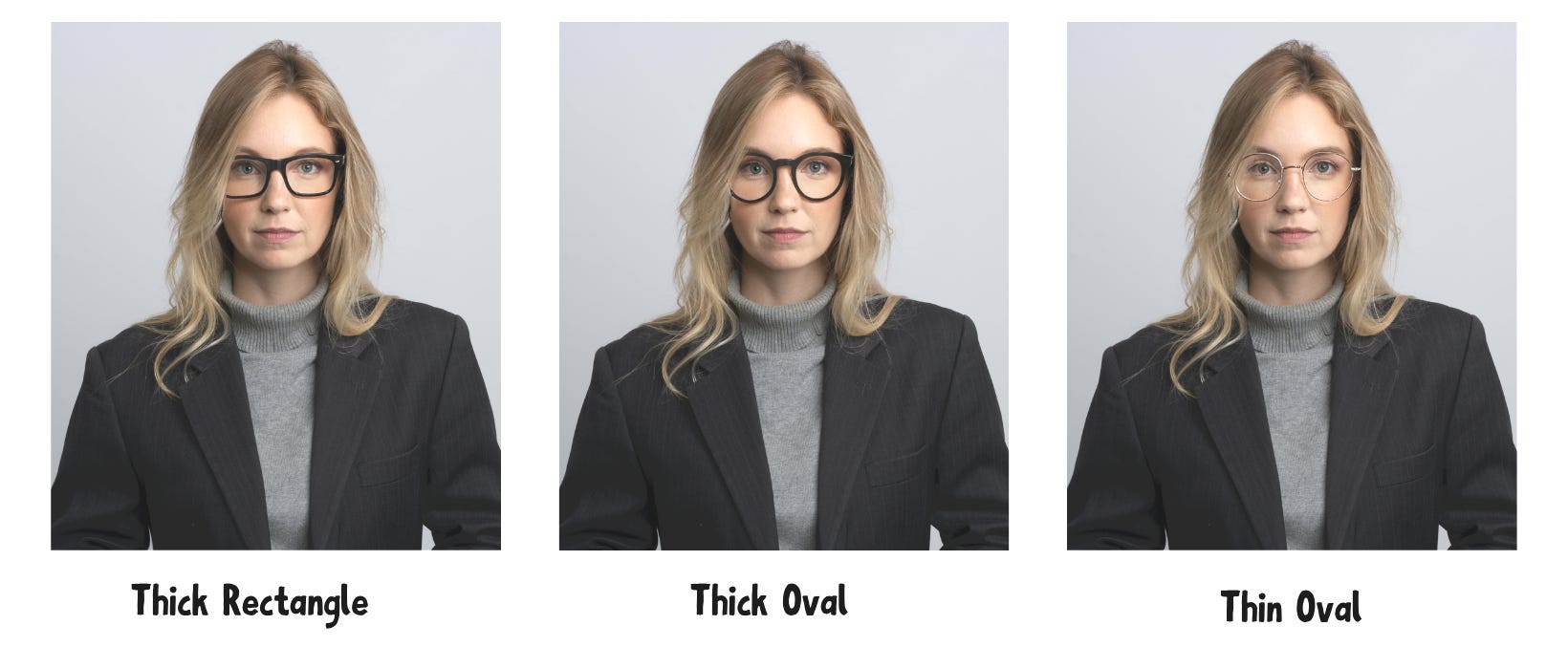
Case Study 1: Choosing New Glasses
Problem: Someone needs a new pair of glasses but isn’t sure which frame shape will complement their face.
Action: Before buying new frames, they preview several options on a recent photo, including Thick Rectangle, Thick Oval, and Thin Oval frames.
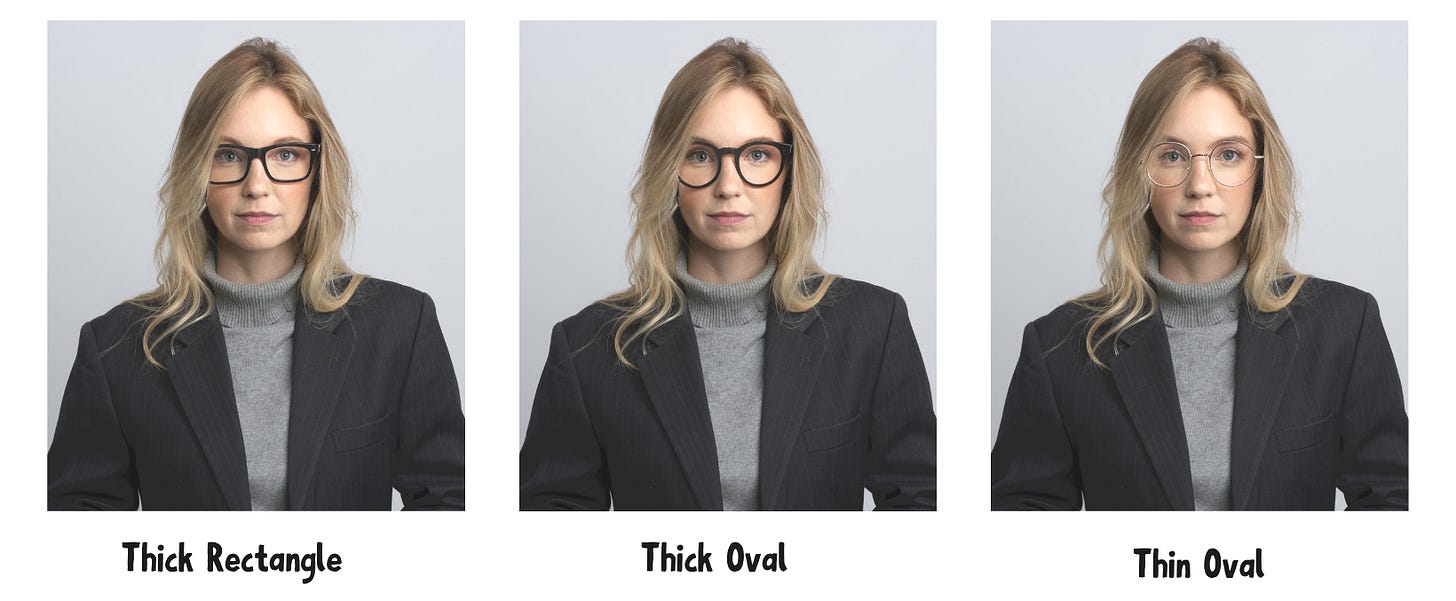
Result: They narrow their choices to a few favorites and visit the optical shop with a much clearer idea of what they’re looking for.
Case Study 2: Previewing Longer Eyelashes Before Your First Lash Appointment
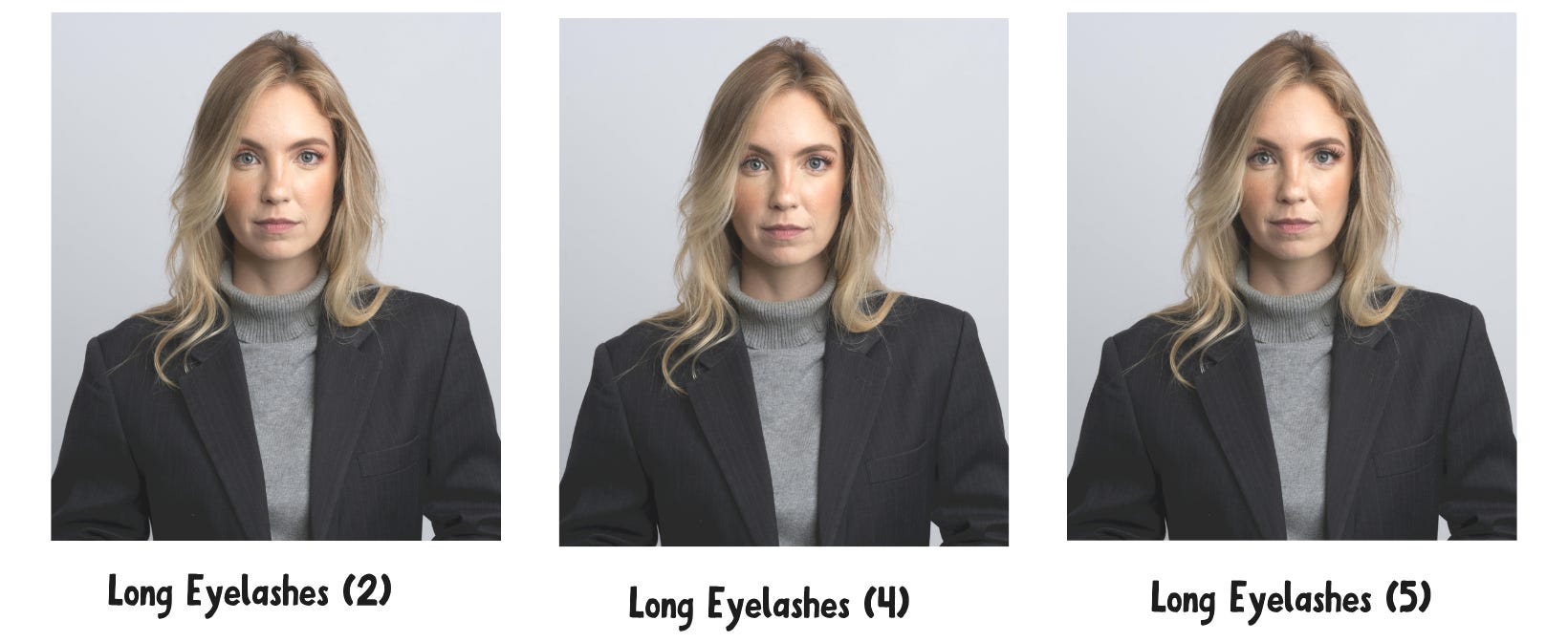
Problem: Someone is booking their first appointment with a lash technician but isn't sure which lash style will complement their features.
Action: Before the appointment, they preview longer eyelashes on a recent photo to see how different lash styles might look on their face.
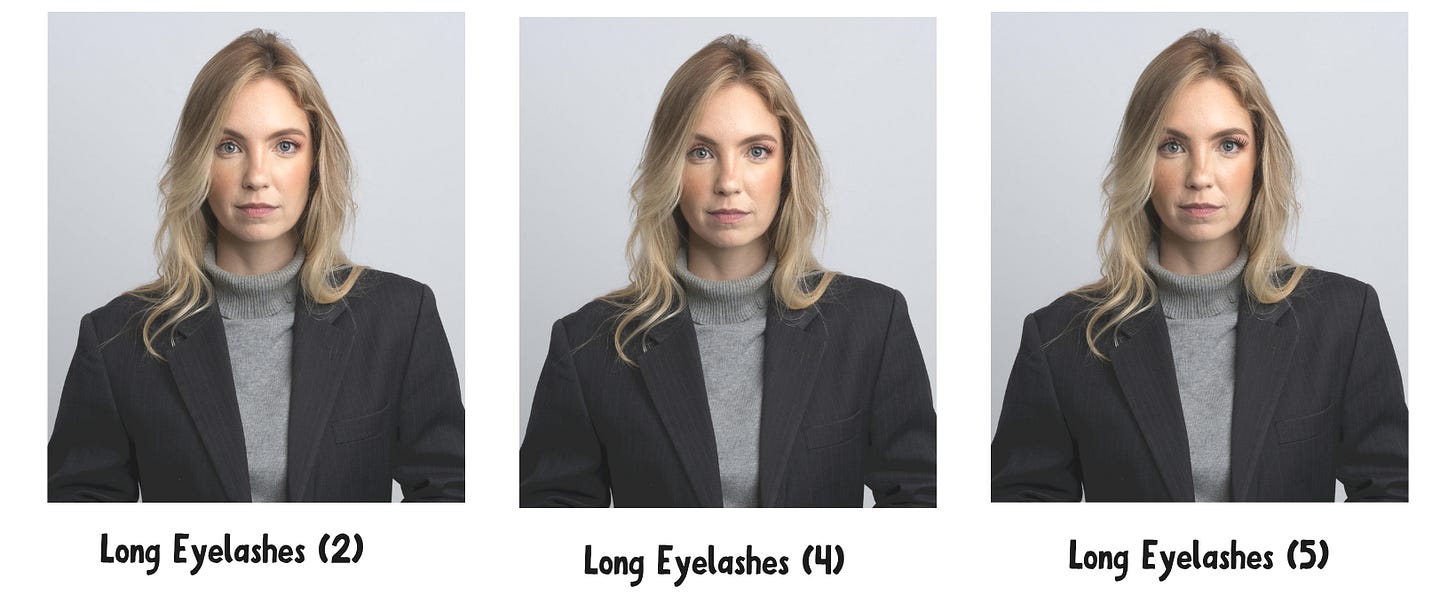
Result: They arrive with a clearer vision of the style they want and can communicate their preferences more confidently during the consultation.
What Photo Editing Can’t Tell You
A photo can show you what a different hairstyle, hair color, makeup look, or other appearance change might look like on your face, but it can’t recreate every detail of real life.
Things like your hair texture, lighting, makeup application, styling techniques, and even how a pair of glasses fits can all influence the final result.
That’s why it’s best to treat edited photos as a guide for making decisions, not a guarantee of the final result.
5 Tips for Getting the Most Realistic Preview
A preview is only as useful as the photo you start with.
Keeping a few simple tips in mind can help you get a more realistic idea of how a new look might suit you.
Choose a clear, well-lit photo. Natural lighting and a front-facing photo without heavy filters usually produce the most realistic results.
Use a recent photo. If your hairstyle, hair color, or facial hair has changed recently, start with an image that reflects how you look today.
Compare several options. Even if you already have a favorite style in mind, trying a few different hairstyles, colors, or makeup looks makes it easier to decide what you actually prefer.
Adjust the intensity. Many FaceApp features include multiple intensity levels, so don’t stop at the default setting. Trying a more subtle or stronger version can give you a better sense of which look feels most natural.
Save your favorite previews. If you decide to book a salon appointment or beauty service, having a few reference images can make it easier to explain the look you’re hoping to achieve.
Final Thoughts
Changing your appearance doesn’t have to feel like a gamble.
Whether you’re thinking about a new haircut, hair color, facial hair, or makeup look, seeing different possibilities on your own photo can make it easier to decide what feels right before committing to a change.
FaceApp makes it easy to experiment with different looks, compare your options, and walk into your next appointment with more confidence.
The app is free to download, with additional features available through FaceApp Pro.
You can also visit the FaceApp website or browse the FAQ to learn more.
Cheers,